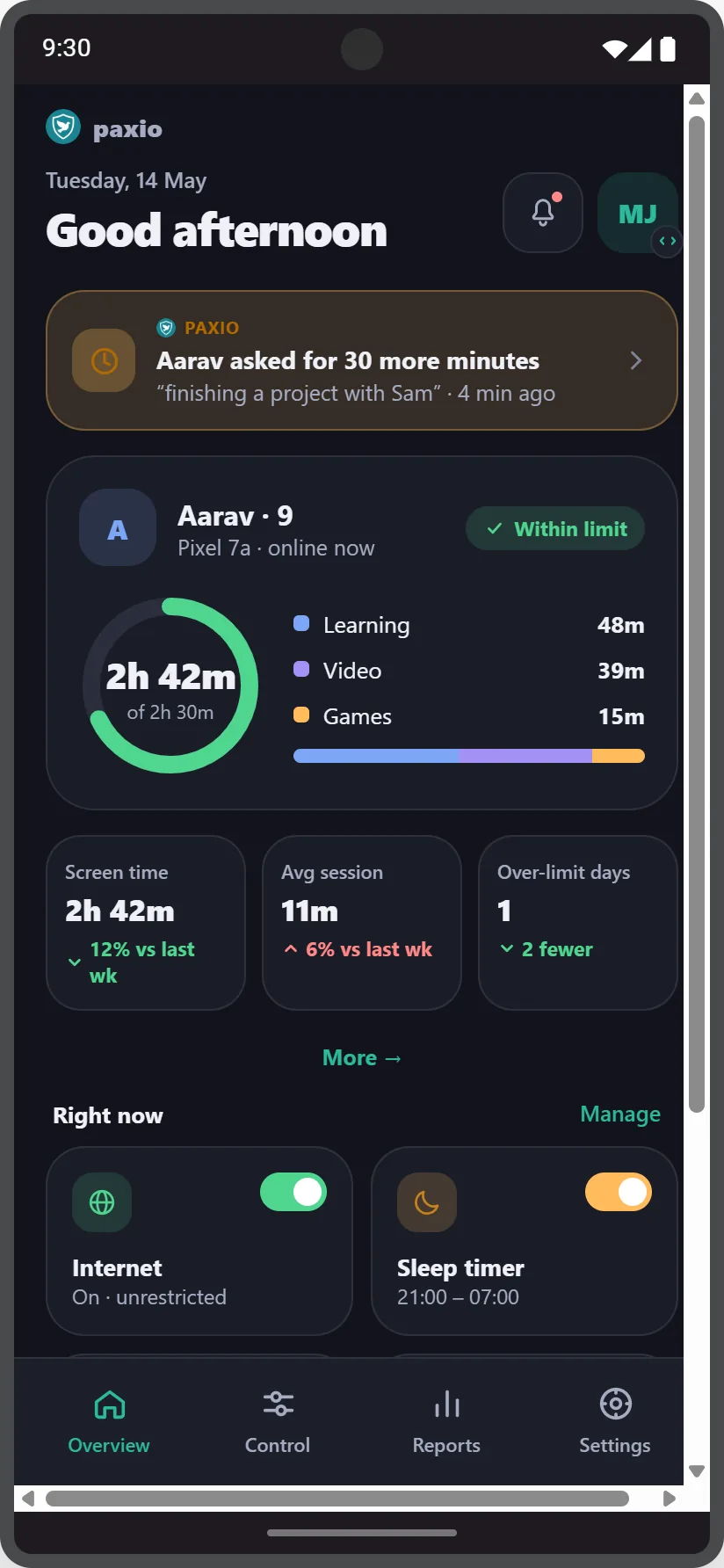
Set daily limits, block distracting apps, and filter content — all from one simple dashboard. Built as a partnership with your kids, never as spyware.
A parental control app for Android that actually shows you what's going on — screen time, apps, and content, all in one place.
Subscribe to Pro for one month and your second month is on us.
No bloated dashboard. Just the handful of controls that actually work.
Set a daily limit per child, watch live usage progress, and get notified as they approach it.
Choose exactly which apps your child can use — enforced in real time, nothing to uninstall.
Block major known sites across multiple categories — kept regularly updated, filtered entirely on-device.
Schedule a recurring bedtime lock, or start a one-off timer for homework or dinner.
Every setting sits behind a parent PIN, so changes only happen when the parent makes them.
Screen time is sourced from Android's own usage tracking — real data, not estimates.
Device admin protection adds a confirmation step before Paxio can be removed.
Child profiles and your PIN sync securely, so switching phones isn't starting over.
Kids earn bonus screen time for staying under their daily limit day after day — good habits pay off instead of just getting enforced.
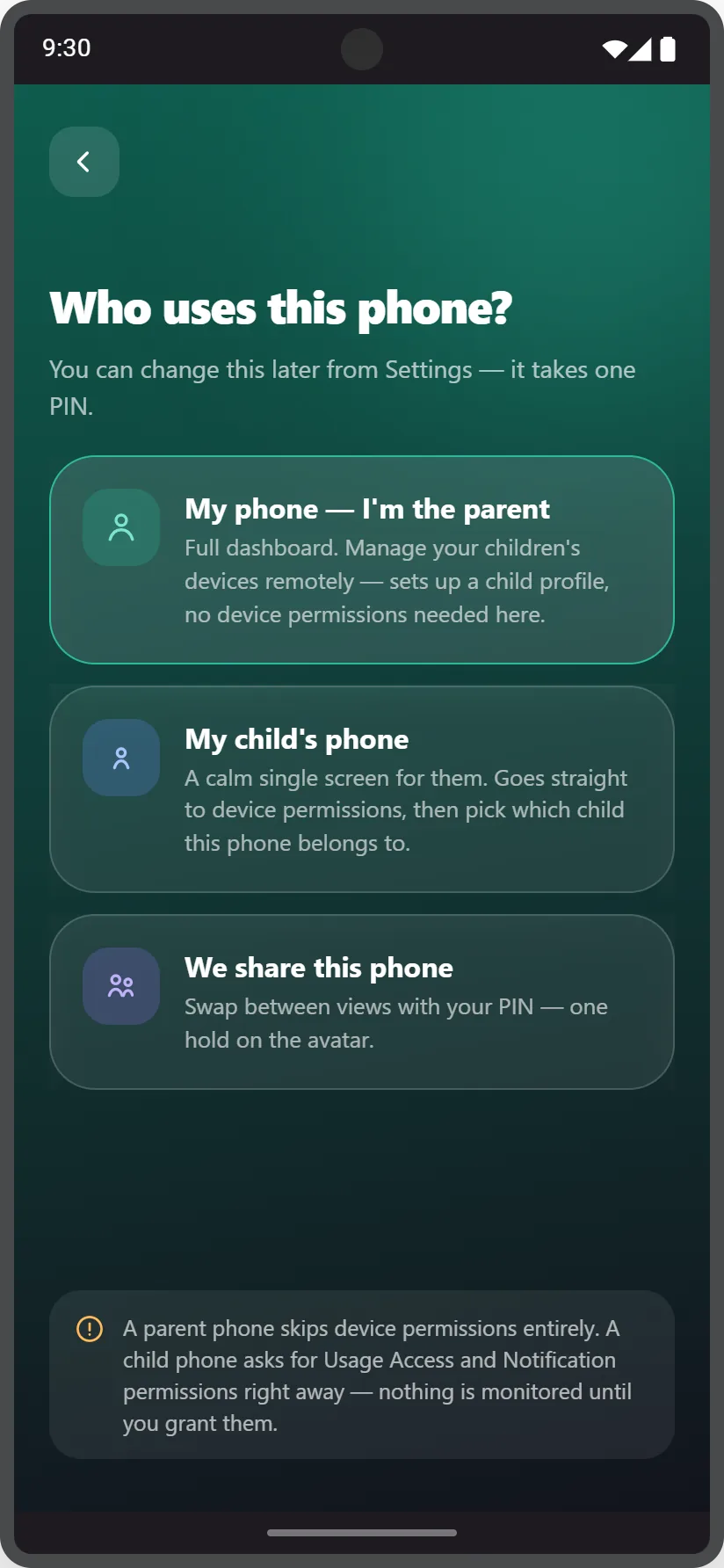
Tell Paxio who uses this phone once during setup. Change it anytime from Settings with your PIN.
Install Paxio on your child's phone and manage it remotely from your own — a full dashboard on your side, a calm single screen on theirs.
Using the same phone as your child? Swap between parent and child view with your PIN, no second device required.
Real numbers pulled straight from the device — updated the moment usage changes.
Week-over-week trends, one-tap shortcuts, and category labels on every app in the usage list.
Trend stats for screen time, average session, and over-limit days, plus one-tap shortcuts to Internet, Sleep timer, App blocker and Content filter.
Less arguing about screen time, more confidence your kids are safe online.
Clear limits your kids can see and understand, not a black box.
A short guided setup explains each permission in plain language.
Profiles and PIN sync to your account, so a new phone takes seconds.