What your child sees
Last updated: 27 August 2026
On a device set to "This is my child's phone," or a shared device switched into child view, Paxio shows a single, read-only dashboard instead of the full parent app — no controls to change, just a clear picture of today.
The dashboard
- A time-left ring shows minutes remaining today, plus how much has been used and when the phone goes quiet for bedtime.
- A 7-day streak row marks each day under the limit — the same streak the "one more clean day earns bonus time" note on Overview refers to.
- "What's on right now" lists active restrictions in plain language, e.g. "Some websites are filtered — Age 8 setting."
- Active alerts, like a bedtime notice, appear at the top of the screen.
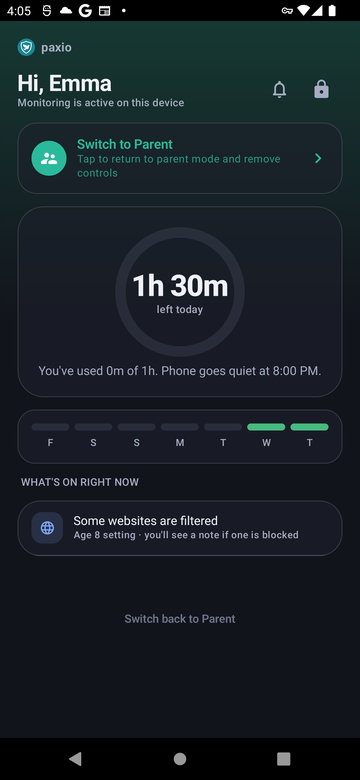
The child dashboard.
Switching back to parent mode
A "Switch to Parent" or "Switch back to Parent" link sits on this screen (on a shared device) — tapping it always asks for the parent PIN first. This is deliberate: without a PIN gate here, anyone holding the child's device could reach the full parent dashboard with no authentication at all.